
The document inserter is the next technology I want to touch on in our Standalone Automation series. This technology does exactly what it sounds like: automating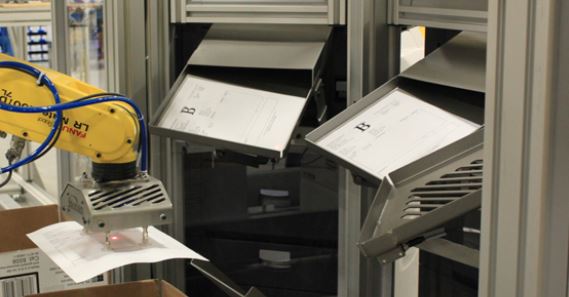 document insertion for an order. This can be a packing list or BOL, invoice, return slip, marketing info, or any other document needing to be included in the packaging. Where a human operator was required to perform this function in the past, there are several ways to automate this function now.
How do you get to the document inserter automation phase?
There is never a simple answer to the “when do I” question as it relates to automation. If the document being inserted is exactly the same each time and does not require updated information, this process can be automated today. However, steps are needed to ensure successful integration if this is an invoice or similar with updated information each time.
- First, where is the information for the document coming from?
- A local WMS (warehouse management system) or ERP software is the best place.
- For more information on the WMS phase, see Warehouse Best Practices Part II.
- Second, what type of packaging medium will the document be inserted into?
- This can be an envelope, a box, a bag, and others.
- The type of packaging medium could work well with a carton erector/builder. More information on those can be found in Standalone Automation: Carton Erectors-Builders
- Third, where is the document being inserted?
- This can be the top or sides of a box, in between products, and in several other locations.
- If it’s easy enough for an operator to insert the document into the packaging, then it is highly likely that it can be automated.
- Lastly, how quickly are the documents needed?
- If the inserter connects to a WMS housed in HQ in London, printing the document with the updated information may take slightly longer and inserting it into the packaging medium.
- Secondly, do the rates for your end-of-line (EoL) processes allow for the time needed for an automated document inserter to perform its function? Should a box be ready every five seconds for shipping, which is currently too fast for an automated document inserter?
You may be ready for an automated document inserter if you have adequate answers to the above.
Types of automated document inserters
Type 1 – Print & Drop
These types of systems are literal printers that are tied to your system and connected to a photo eye or sensor that tells it if a box is near or directly under the printer. Once the box is in the correct location, the printer drops the printed document onto the top of the box.
This type of document inserter can only work in the top load fashion unless a custom insertion retrofit is added to assist.
Type 2 – Robotic Arm Grab & Drop
These types of document insertion systems consist of cobots (collaborative robots) or similar small-scale robots that usually work alongside human operators. The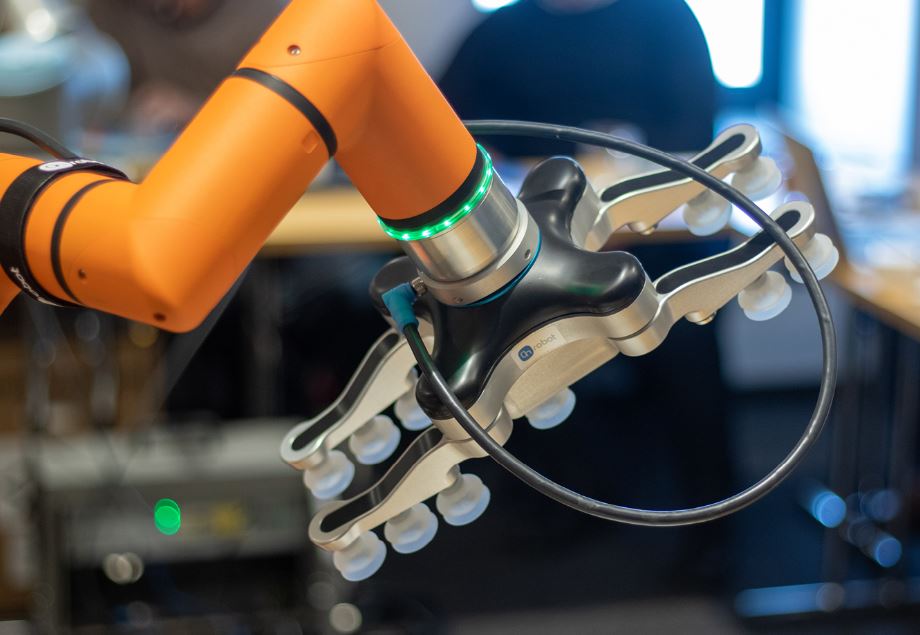 cobots would usually consist of vacuum gripper end of arm tools (EoAT) that use suction to grab the document from the printer and place it inside a box (usually a top load). Cobots are extremely cost effective today, but the rates required by your business may not make this a viable solution. You can find more information on Cobots in the Collaborative Robots – Cobots – An Intro blog.
As with most of the equipment discussed so far in the Standalone Automation series, the technology works best when replacing repetitive, monotonous, and redundant operations. Most of these automation opportunities usually exist in the End of Line (EoL) operations. This is when a product has already been picked, and you are ready to pack, seal, label, and possibly palletize orders to be staged for shipping.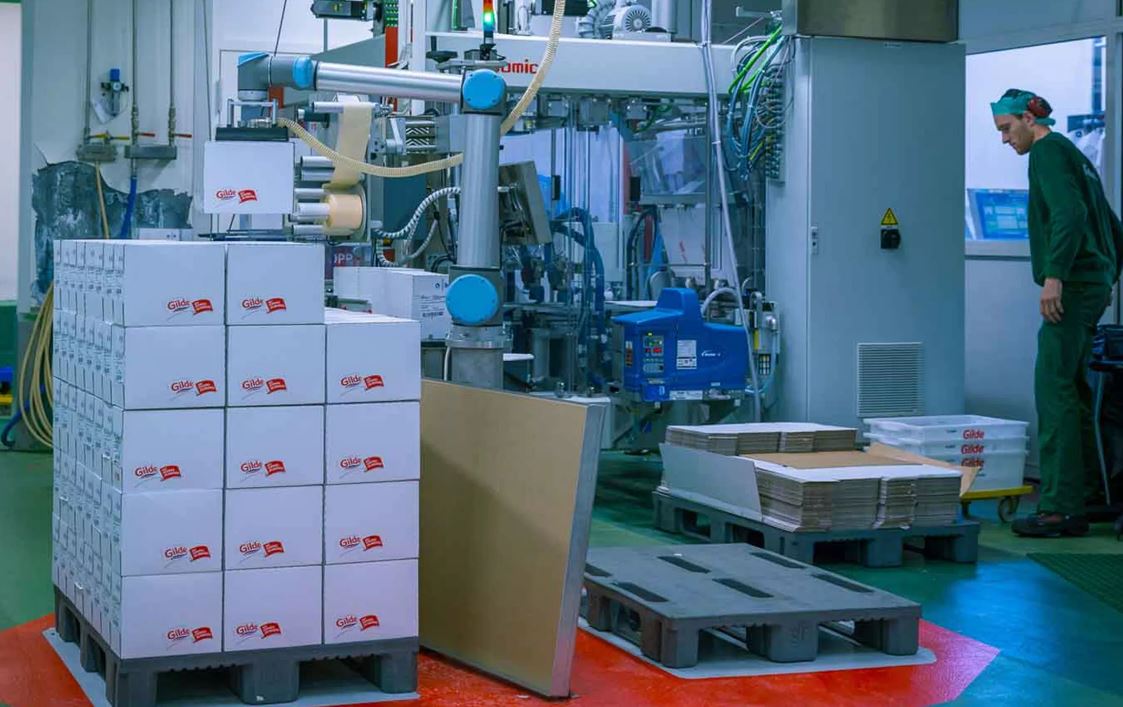
End of Line (EoL) Automation
Here’s a summary of those operations at the EoL:
- Automated Carton Erector/Builder – build your boxes prior to shipping in an automated or semi-automated way to improve speeds.
- Automated Print and Apply (PandA) Labelers – once that box is built, you can apply the shipping label automatically to the appropriate box before or after packing.
- Automated Document Inserter – (what we’ve discussed today) can add invoices, BOLs, or packing slips into shipping packages/boxes.
- Automated Dunnage Insertion
- Automated Case Sealers
- Automated Palletizing
These are just the main EoL automatable operations, where, depending on your business, there can be more… or less.
How to know which solution is next for your business
As has been mentioned, Warehouse Best Practices Parts I & II are good starting points.
If you’d prefer to stay as hands-off as possible, there are companies that can help with these initial processes. Abel Womack has a great Lean Management Consulting team that ensures your company performs as efficiently as possible. You can also contact our Automation team to assist with automation-specific consulting and uncover the best next step for your operations.
Abel Womack has a history of relationship building and service and experience automating facilities new to automation and those several phases of automation into their long-term plans. You are more than welcome to sit back and watch us perform these upgrades with a small information-gathering phase to get you to the next steps.



Leave a Reply
You must be logged in to post a comment.